Never Miss a Renewal Again: Expiry Reminders for Google Sheets
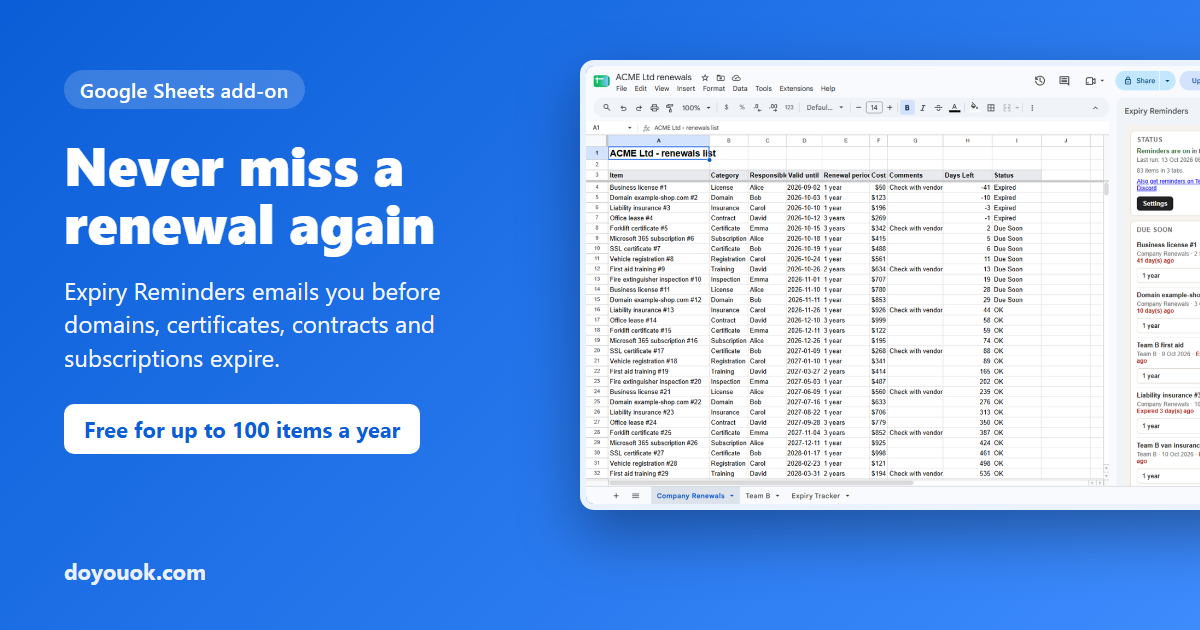
Most teams already keep their renewal dates in a Google Sheet: domain names, SSL certificates, software subscriptions, contracts, insurance policies, licenses and certifications. The sheet is fine. The problem is that nobody opens it on the right day.
Expiry Reminders is our new Google Sheets add-on that fixes exactly that. It reads the dates in your existing sheet and emails you before anything expires, every day, even when the file is closed.
Install Expiry Reminders from the Google Workspace Marketplace
Set up in under two minutes
- Install the add-on, open any Google Sheet and choose Extensions > Expiry Reminders > Open.
- Press Set up reminders. Pick the tab that holds your dates and its Item name and Expiry date columns (we guess them from the header text). No list yet? Press Create a new Expiry Tracker tab and start typing.
- Choose who gets the emails, how many days before expiry (default 60, 30, 14 and 7 days before and on the day, or your own custom days), and what happens after something expires: remind every week, every day, or stop.
- Press Turn on reminders. A test email arrives right away.
From then on Google checks the sheet once a day around the hour you chose, and everything due that day arrives in one email.
Works with the sheet you already have
- No new format to learn. Only two columns are required: a name and an expiry date. Owner, renewal term, notes and a per-row recipient email are optional.
- Insert or move columns freely. Columns are matched by their header text.
- Several tabs. Track domains on one tab and contracts on another; each tab has its own columns and the email shows where each item comes from.
- Optional Days Left and Status columns are added as formulas at the right of your data, and removed again with one click.
Renew in two clicks
The sidebar lists everything due in the next 60 days. Press Renew, pick a term (1 month to 10 years), confirm, and the expiry date moves forward. Reminders start over for the new date. Or just type the new date in the sheet.
Send each person only their own items
Add a column with an email address per row and choose it as Recipient email. Each person gets an email listing only the items they own, while you still get the full list. Great for teams where everyone is responsible for different licenses or certificates.
It never silently stops
The worst thing a reminder tool can do is stop working without telling you. Expiry Reminders is backed by Doyouok, so the daily run itself is monitored:
- If the sheet stops checking in, or a run fails, you get an alert.
- If a tab is deleted or a column is renamed, you get an Action needed email that tells you exactly what to fix.
- Rows with dates that aren't real dates are listed in the sidebar instead of being skipped quietly.
Telegram, Slack and Discord too
Prefer chat over email? Open the sidebar and click Also get reminders on Telegram, Slack or Discord. You are signed in to Doyouok with the same Google account, with no separate sign-up, and the items due each day are posted to the channels you connect.
Free for up to 100 items a year
The Free plan includes every feature and up to 100 reminded items a year. An item counts once a year no matter how many reminders it gets, and tabs and spreadsheets are unlimited. Bigger plans cover 600 or 5,000 items a year; see pricing.
Your data stays in your sheet
Reminder emails are sent from your own Google account. Only the name, expiry date and days left of the items due that day are sent to Doyouok, to count your yearly items and forward them to chat if you connected it. Notes, recipient emails and the rest of your spreadsheet stay in Google. Details are in the privacy policy.
Get started
Install Expiry Reminders and turn your renewal sheet into reminders that actually arrive. Questions? The help page covers setup, renewals and every common question.